PostgreSQL Quickstart
Get started with A5 in PostgreSQL by installing the a5pg extension and running a simple example.
Installation
Prerequisites
- PostgreSQL 15, 16, or 17
- Rust toolchain (install via rustup)
- cargo-pgrx (will be installed automatically)
Install from Source
git clone https://github.com/decision-labs/a5pg.git && cd a5pg
cargo pgrx install pg17  # or pg15, pg16
Then enable the extension in PostgreSQL:
CREATE EXTENSION a5pg;
Note: Installation via pgxman will be available once the pgxman buildkit PR is merged.
Optional: Install PostGIS
For geometry operations and visualization, install PostGIS:
CREATE EXTENSION postgis;
Example: Translate Lat/Lon to A5 Cell and back
-- Get the A5 Cell for London
SELECT a5_lonlat_to_cell(-0.1276, 51.50735, 10) AS cell;
-- Result: 7161034019553935360

-- Get the center of the A5 cell previously returned
-- since cells cover a greater area, the returned lon/lat
-- will be different.
SELECT a5_cell_to_lonlat(7161034019553935360) AS lonlat;
-- Result: {-0.15971839880376137, 51.511842921513406}
Example: Generate GeoJSON for Cell
To generate a GeoJSON polygon for the A5 cell above, use this SQL along with PostGIS:
SELECT ST_AsGeoJSON(a5_cell_to_geom(7161034019553935360)) AS geojson;
This produces:
{
  "type":"Polygon",
  "coordinates":[[
    [-0.19250141916919006, 51.51946462334752],
    [-0.20078615946991363, 51.47558191837641],
    [-0.13985206278343298, 51.48472345047163],
    [-0.11104984728311251, 51.52438151810816],
    [-0.15436577597120050, 51.55503847320052],
    [-0.19250141916919006, 51.51946462334752]
  ]]
}
Visualizing that A5 cell shows:
Alternatively, using the boundary function directly:
SELECT
    jsonb_build_object(
        'type', 'Polygon',
        'coordinates', jsonb_build_array(
            jsonb_agg(
                jsonb_build_array(coords[1], coords[2])
                ORDER BY i
            )
        )
    ) AS geojson
FROM (
    SELECT a5_cell_to_boundary(7161034019553935360) AS coords
) AS boundary,
generate_series(1, array_length((SELECT a5_cell_to_boundary(7161034019553935360)), 1)) AS i;
Example: Generate A5 Cells
Here's a complete example that generates A5 cells at a specified resolution:
SELECT unnest(a5_cell_to_children(7161034019553935360, 13)) AS cell_id;
-- Returns 64 child cells at resolution 13
Example: Elephant Shape with A5 Cells
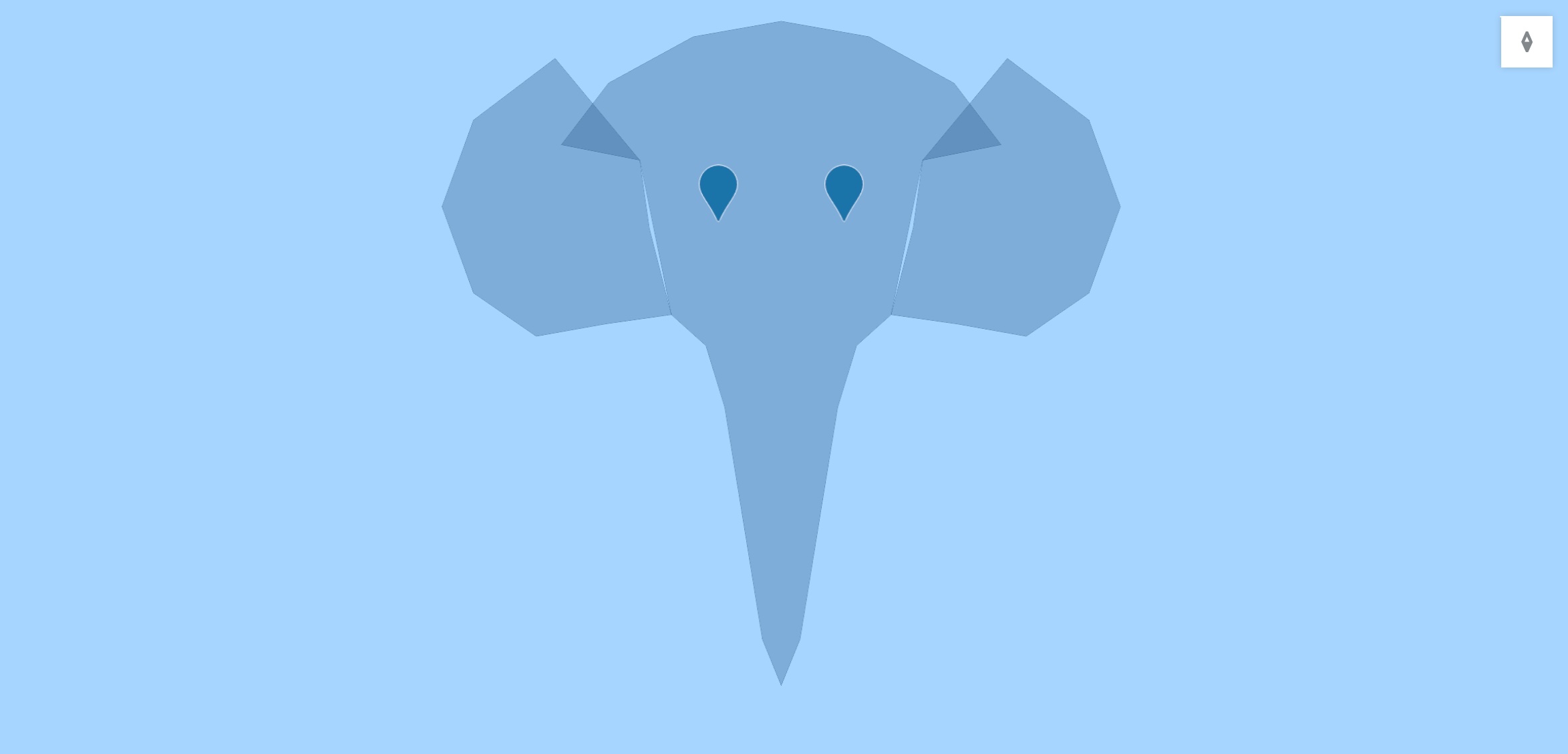
This example demonstrates how to convert a complex polygon shape (an elephant) into A5 cells and export as GeoJSON.
Step 1: Load the Elephant Geometry
CREATE EXTENSION IF NOT EXISTS postgis;
CREATE EXTENSION IF NOT EXISTS a5pg;

-- Load FeatureCollection from embedded JSON
WITH fc AS (
  SELECT '{"type":"FeatureCollection","features":[
    {"type":"Feature","properties":{"part":"head_trunk"},"geometry":{"type":"Polygon","coordinates":[[[0.0,1.0],[-0.28,0.95],[-0.55,0.8],[-0.7,0.6],[-0.45,0.55],[-0.35,0.05],[-0.24,-0.05],[-0.18,-0.25],[-0.14,-0.5],[-0.1,-0.75],[-0.06,-1.0],[0.0,-1.15],[0.06,-1.0],[0.1,-0.75],[0.14,-0.5],[0.18,-0.25],[0.24,-0.05],[0.35,0.05],[0.45,0.55],[0.7,0.6],[0.55,0.8],[0.28,0.95],[0.0,1.0]]]}},
    {"type":"Feature","properties":{"part":"ear_left"},"geometry":{"type":"Polygon","coordinates":[[[-0.45,0.55],[-0.72,0.88],[-0.98,0.68],[-1.08,0.4],[-0.98,0.12],[-0.78,-0.02],[-0.56,0.02],[-0.35,0.05],[-0.42,0.33],[-0.45,0.55]]]}},
    {"type":"Feature","properties":{"part":"ear_right"},"geometry":{"type":"Polygon","coordinates":[[[0.45,0.55],[0.72,0.88],[0.98,0.68],[1.08,0.4],[0.98,0.12],[0.78,-0.02],[0.56,0.02],[0.35,0.05],[0.42,0.33],[0.45,0.55]]]}}
  ]}'::jsonb AS j
),
features AS (
  SELECT
    (f->'properties'->>'part')::text AS part,
    ST_SetSRID(ST_GeomFromGeoJSON((f->'geometry')::text), 4326) AS geom
  FROM fc, jsonb_array_elements(fc.j->'features') AS f
)
SELECT * INTO TEMP elephant_features FROM features;
The input polygon geometry:
Step 2: Generate A5 Cells from Polygon Vertices
-- Extract vertices and convert to A5 cells at resolution 11
WITH vertices AS (
  SELECT
    part,
    (ST_DumpPoints(geom)).geom::geometry(Point, 4326) AS pt
  FROM elephant_features
  WHERE GeometryType(geom) LIKE 'POLYGON%'
),
cells AS (
  SELECT DISTINCT
    part,
    a5_lonlat_to_cell(ST_X(pt), ST_Y(pt), 11) AS cell_id
  FROM vertices
)
SELECT * INTO elephant_cells FROM cells;
Step 3: Fill the Polygon Space with A5 Cells
For complete coverage, generate cells throughout the polygon area:
WITH poly AS (
  SELECT part, geom
  FROM elephant_features
  WHERE GeometryType(geom) LIKE 'POLYGON%'
),
boundary_pts AS (
  SELECT part,
         (ST_DumpPoints(geom)).geom::geometry(Point,4326) AS pt
  FROM poly
),
fill_pts AS (
  SELECT part,
         (ST_Dump(ST_GeneratePoints(geom, 200))).geom::geometry(Point,4326) AS pt
  FROM poly
),
grid_pts AS (
  SELECT part,
         ST_SetSRID(ST_MakePoint(
           ST_XMin(geom) + (ST_XMax(geom) - ST_XMin(geom)) * (x::float / 50),
           ST_YMin(geom) + (ST_YMax(geom) - ST_YMin(geom)) * (y::float / 50)
         ), 4326)::geometry(Point,4326) AS pt
  FROM poly,
       generate_series(0, 50) AS x,
       generate_series(0, 50) AS y
  WHERE ST_Contains(geom, ST_SetSRID(ST_MakePoint(
    ST_XMin(geom) + (ST_XMax(geom) - ST_XMin(geom)) * (x::float / 50),
    ST_YMin(geom) + (ST_YMax(geom) - ST_YMin(geom)) * (y::float / 50)
  ), 4326))
),
pts AS (
  SELECT * FROM boundary_pts
  UNION ALL
  SELECT * FROM fill_pts
  UNION ALL
  SELECT * FROM grid_pts
)
SELECT DISTINCT
  part,
  a5_lonlat_to_cell(ST_X(pt), ST_Y(pt), 11) AS cell_id
INTO elephant_cells
FROM pts;
Step 4: Export as GeoJSON
-- Create GeoJSON FeatureCollection
SELECT jsonb_build_object(
  'type', 'FeatureCollection',
  'features', jsonb_agg(
    jsonb_build_object(
      'type', 'Feature',
      'properties', jsonb_build_object(
        'part', part,
        'cell_id', cell_id
      ),
      'geometry', ST_AsGeoJSON(a5_cell_to_geom(cell_id), 6)::jsonb
    )
  )
) AS geojson
FROM elephant_cells;
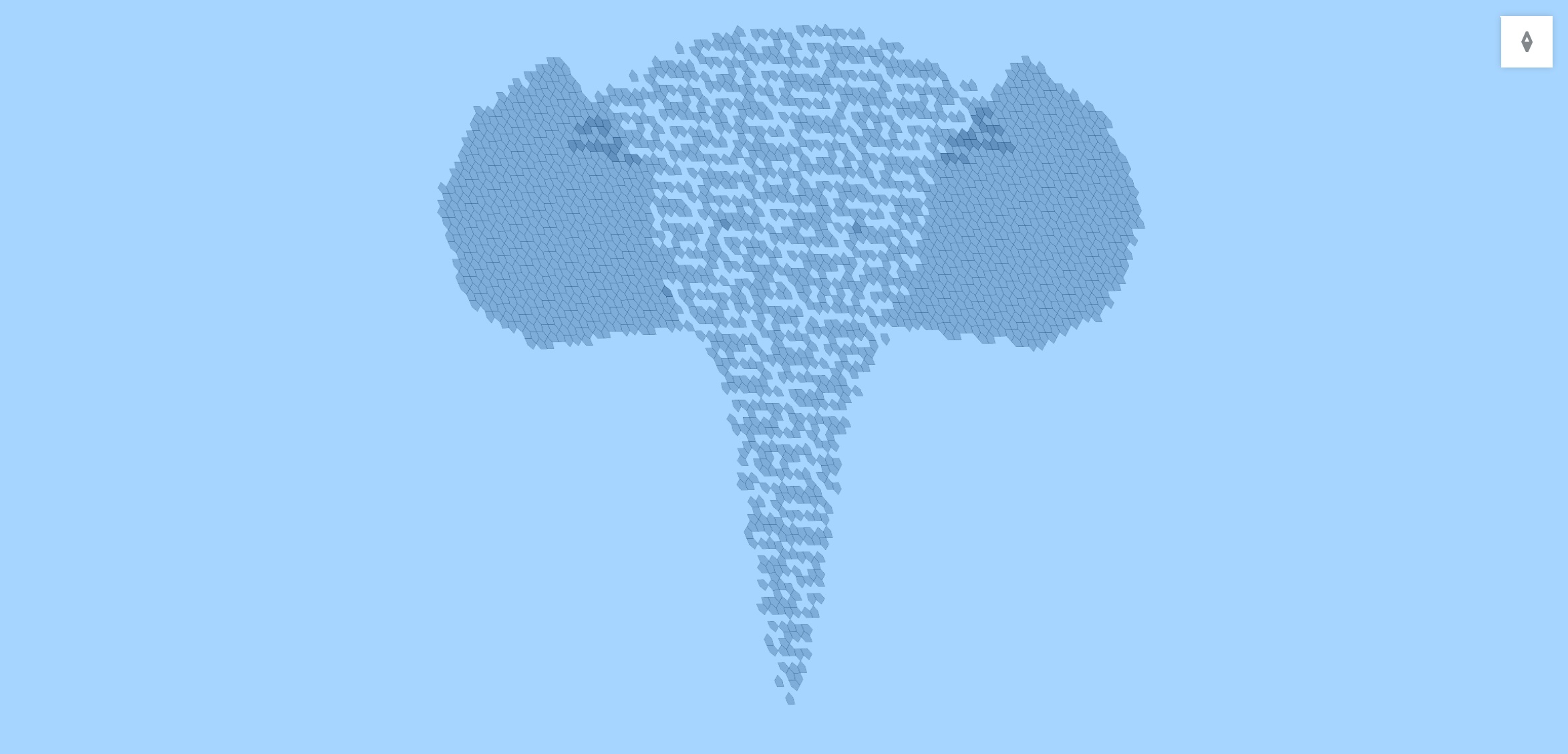
This produces a GeoJSON FeatureCollection where each feature represents an A5 cell covering part of the elephant shape. The cells can be visualized on a map to show how A5 partitions the polygon into equal-area pentagonal cells.
The resulting A5 cells covering the polygon:
Example: Compare Cell Areas
This example shows how to obtain the cell area, cross-checking against the value from ST_Area().
Note that all cells at the same resolution have the exact same area. In general a5_cell_area() should always be used rather than manually computing the area
-- Compare the exact area (from a5_cell_area) with the estimated area
-- calculated from the cell boundary using ST_Area
WITH cells AS (
  SELECT generate_series(0, 10)::INTEGER AS resolution
),
areas AS (
  SELECT
    resolution,
    a5_lonlat_to_cell(-0.1276, 51.50735, resolution) AS cell,
    a5_cell_area(resolution) AS exact_area, -- Area constant within resolution level
    ST_Area(
      a5_cell_to_geom(a5_lonlat_to_cell(-0.1276, 51.50735, resolution))::geography
    ) AS estimated_area -- Quantized boundary will yield only estimate of area
  FROM cells
)
SELECT
  resolution,
  cell,
  exact_area,
  estimated_area,
  ROUND(100 * (estimated_area - exact_area) / exact_area, 4) AS area_error_percent
FROM areas;
API Compatibility
a5pg is API-compatible with DuckDB's a5 extension, enabling query portability between PostgreSQL and DuckDB. See the API Comparison for details.
Next Steps
- Review the full a5pg API documentation
- Learn more about A5 indexing
- Explore cell hierarchy
- Check out more examples